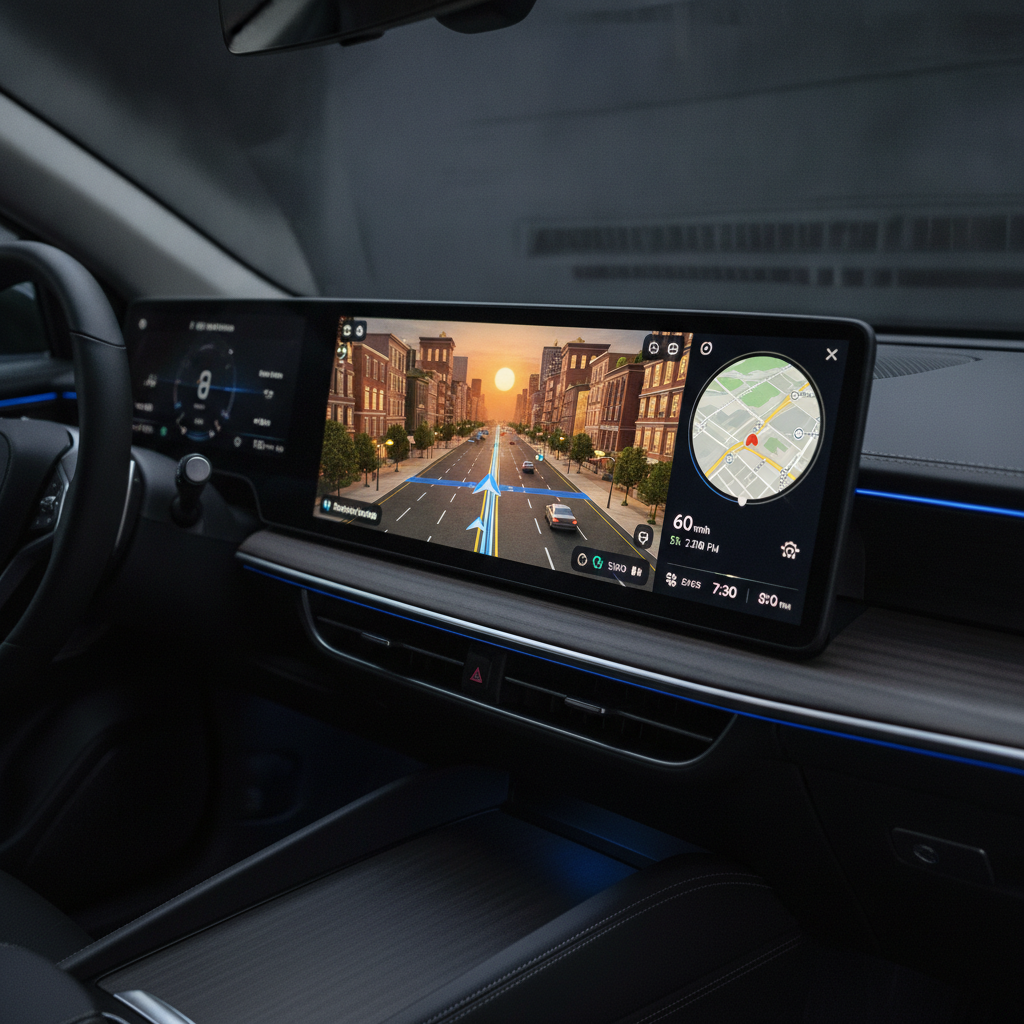
Get ready to see your drives in a whole new light! Google Maps on Android Auto has just received a groundbreaking visual update, introducing what Google calls its “Immersive View.” As someone who relies on navigation almost daily, I can attest this isn’t just a minor facelift; it’s a revolutionary change that drastically improves the entire driving experience.
Google first teased this “biggest transformation of the navigation experience in over a decade” a few months ago. While Android phone users have been slowly getting access to this incredible feature, it’s now finally making its way to car dashboards via Android Auto, much to the delight of drivers everywhere.
Initially, driving through my more rural area, I didn’t notice much difference. However, as I ventured closer to populated zones, the interface underwent a dramatic transformation. The flat, often confusing 2D perspective was replaced by a rich, detailed 3D environment, instantly making complex routes far more intuitive.
Experience Navigation Like Never Before
This isn’t just any 3D view; it’s an incredibly detailed depiction of your surroundings. The updated Maps now features clear lane markings, true-to-life building outlines rendered with a clever translucent effect, and explicit indicators for when you’re traveling under or over a road. You’ll even see individual tree markers, providing a better overall sense of the landscape.
While Google Maps has offered 3D buildings in select areas for years, this new imagery takes it to another level. This enhanced realism is made possible by a recent Gemini integration. This powerful AI analyzes both Street View and aerial photos to generate incredibly accurate depictions of landmarks, medians, and other crucial elements along your route.
I recently put the Immersive Navigation to the test on a drive around uptown Charlotte, N.C., and the results were genuinely transformative. The first thing that struck me was how much easier it became to quickly get my bearings in a bustling urban environment. Buildings are now shown precisely where they stand, with realistic yet translucent outlines that allow you to see through them and plan your next move with confidence.
Solving Your Biggest Navigation Headaches
If you’ve ever navigated a city, you know that quick, successive turns can often catch you by surprise. With this update, those moments of panic are largely eliminated, allowing you to anticipate turns well in advance. What’s more, Maps now intelligently highlights entrances and parking lots for specific buildings, which can be invaluable when the actual address doesn’t line up perfectly with where you need to go.
The improvements extend to complex road structures as well. Lane markings are clearly indicated in many urban areas, guiding you effortlessly into the correct position for turns or exits. Overpasses and underpasses are also depicted with remarkable clarity, removing any doubt about whether you need to take an elevated ramp or stay at ground level.
For those particularly tricky freeway splits or multi-lane junctions, the Maps camera now automatically zooms in. This provides an unobstructed, close-up visual of where you need to be, significantly reducing stress and the chance of a missed turn. It’s a level of visual guidance that was simply not available before.
Smarter Voice Guidance for Smoother Drives
Beyond the visual overhaul, the voice guidance has also received a significant upgrade, becoming much more conversational and intuitive. Gone are the days of purely distance-based instructions like, “In one mile, exit right,” which can be challenging to judge accurately at speed. Instead, you’ll now hear more helpful and descriptive prompts.
Imagine hearing something like, “Go past this exit and take the next one for South Tryon Street.” This contextual guidance is far more practical and reassuring, especially when you’re unfamiliar with an area. It’s these thoughtful details that collectively elevate the entire navigation experience, making every journey smoother and less stressful.
Even in my hometown, where I’ve lived my entire life, urban driving can throw unexpected curveballs. While Google Maps has always been a reliable co-pilot, this updated view is profoundly more useful, directly addressing and simplifying the trickiest parts of navigation. It truly takes the guesswork out of complex driving situations.
When Can You Expect It?
Google has stated that the updated Maps, with its incredible Immersive View, is rolling out “slowly.” It’s been appearing on Android devices over the past few months, and now it’s finally reaching Android Auto dashboards. If you haven’t seen this amazing update on your car’s display yet, don’t worry – it should be arriving very soon.
Source: ZDNet – AI
