In our increasingly digitized world, screen addiction has sadly become less of an exception and more a common characteristic of modern life. It’s a reality many of us face, myself included, often spending anywhere from three to eight hours a day glued to our phones. That’s precious time that could be dedicated to hobbies, connecting with loved ones, or simply being present.
My own phone usage averages about four hours daily, a significant portion of which is spent checking emails, scrolling through social media, and responding to messages. These habits, particularly during tired moments or lazy weekends, often leave me feeling disgusted by the sheer amount of wasted time. Despite my best efforts—deleting apps, setting limits, and even moving my phone to another room—the cycle of addiction often resumes within weeks or months.
My Quest for Digital Detox
I’ve tried countless strategies to curb my screen time, from strict app limits and browser-only access to social media, to completely deleting apps altogether. While these methods offered temporary relief, I always found myself slipping back into old patterns, trapped in what felt like an endless loop.
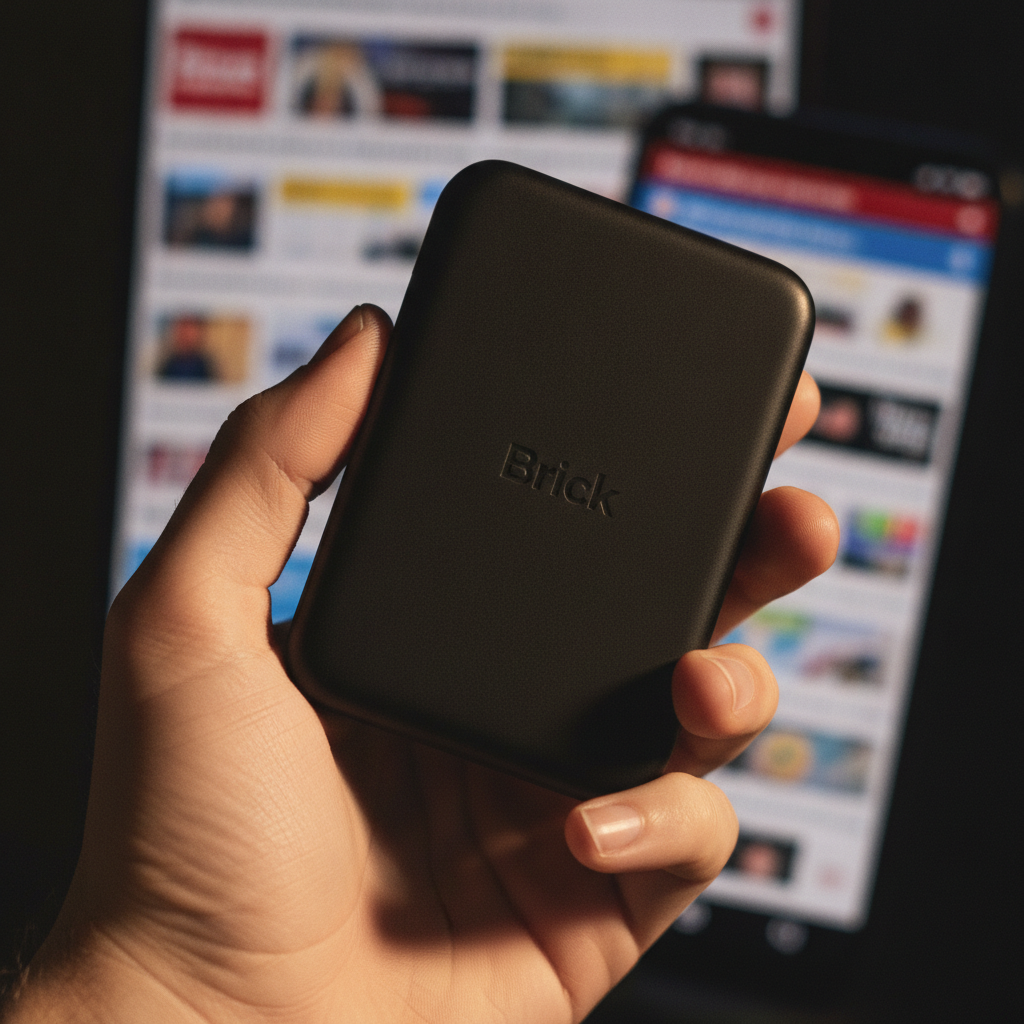
Then, last October, I discovered something new: a device called Brick. I’d seen buzz about this minimalist, magnetic cube that promised to effectively lock users out of their most demanding apps. The idea of regaining my time and autonomy was incredibly appealing, and I was eager to put its “miracle-working” claims to the test.
How Brick Works and My Experience
The Brick device itself is a simple, gray magnetic square that works in conjunction with a compatible smartphone app. Upon downloading the app, you select which specific apps you want to disable when your phone is “bricked.” Utilizing NFC technology, similar to what’s found in contactless payments, tapping your phone to the Brick instantly blocks access to those chosen applications.
Tapping it again “unbricks” your device, restoring access. This intuitive system allows you to set schedules for blocking apps during specific times or create different modes for various app categories. For my initial test, I created a mode that targeted my most frequently used culprits: Messages, Instagram, Facebook, Threads, TikTok, and LinkedIn.
Rather than relying on a rigid schedule, I initially chose to brick my phone on volition, unblocking it only when necessary. This approach made curbing my phone use feel like an easier, more natural first step in managing my habits. I found its primary benefit at home, especially during evenings and weekends, where my screen usage tends to be the worst.
I quickly discovered the joy of undisturbed focus. One Monday night, I bricked my phone and was able to journal for a full 90 minutes, completely free from digital distractions. My roommates also reported improved concentration when using Brick for activities like reading at the park, highlighting its versatility.
- Bedtime Ritual: Bricking my phone before bed felt like “shutting the home computer down at the end of the night,” as one roommate put it. If I remembered an app I wanted to check, the effort of walking to the kitchen to unbrick served as a powerful deterrent.
- Morning Reset: I’d unbrick my phone in the kitchen after waking, giving myself an hour to catch up before re-bricking for work. This created a distraction-free work environment, allowing me to reward myself with a quick unbrick after an hour of focused productivity, similar to the Pomodoro Technique.
- Anxiety Management: I observed that my phone usage often spiked during periods of anxiety. Bricking my device not only helped curb this anxious scrolling but also encouraged me to engage in healthier activities like exercise, rather than passively waiting for a notification.
Beyond Traditional Screen Time Limits
What truly sets Brick apart from conventional screen time limits and app blockers is its unique approach to reinforcement. Instead of negative notifications telling you, “You’ve reached your daily Instagram limit,” Brick employs positive reinforcement.
When you brick your device, a widget appears, displaying a timer showing exactly how long you’ve been offline. The app also tracks your daily bricking time, subtly building a case for yourself that prolonged periods without these apps are not only possible but beneficial. This positive feedback incrementally helps break reliance on constant checking, reminding me that access to my most-used apps is a privilege, not a default.
While Brick is highly effective, it does have a minor quirk: if you set a schedule, you generally need the physical Brick present to unbrick your phone once the blocking period ends. However, a clever workaround involves creating a subsequent schedule and then “unbricking a random app,” which effectively unlocks all desired apps without needing the physical device. One friend also noted that Brick didn’t automatically adjust for time zone changes during travel, a potential area for future improvement.
Is Brick Worth the Investment?
I wholeheartedly recommend Brick if you struggle with excessive phone checking, wasted time on social media, or a general desire to reclaim your focus. During my first week of use, my screen time decreased by an impressive 7%.
Its positive reinforcement, rather than admonishment, gently yet powerfully guides you toward healthier digital habits. I’ve been using this device for over half a year, and it consistently reminds me how simple and impactful a well-designed product can be.
The $65 price tag (currently discounted to $55 on Amazon) might seem steep for self-control, but from my experience, it’s an investment well worth it for the tangible quality-of-life upgrade. It has helped me regain a long-desired sense of autonomy from my devices, fostering a clearer mind and boosting productivity both personally and professionally. Brick doesn’t just block apps; it helps you rediscover your time.
Source: ZDNet – AI
